ShutterFlow
The fastest way to ingest, organize, and back up your photos and videos.
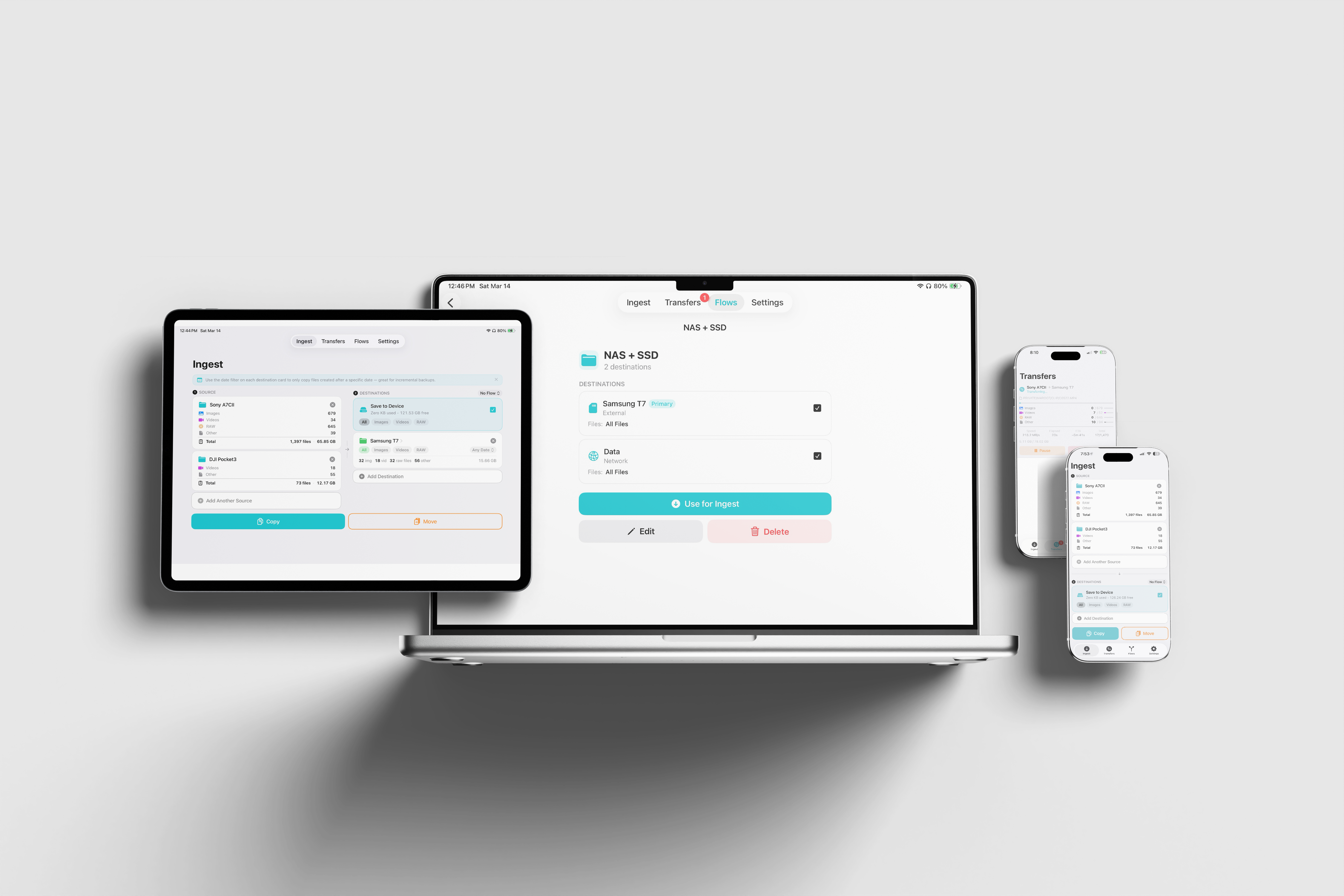
Everything you need for professional ingestion
A complete workflow from SD card to backup — built for photographers and videographers.
Multi-Source Ingestion
Copy from any source — SD cards, external drives, or any folder on your system.
- Auto-detection of removable volumes on Mac
- Drag & drop folders directly onto the app (Mac)
- Select multiple source folders simultaneously
- Works with SD cards, USB drives, and network volumes
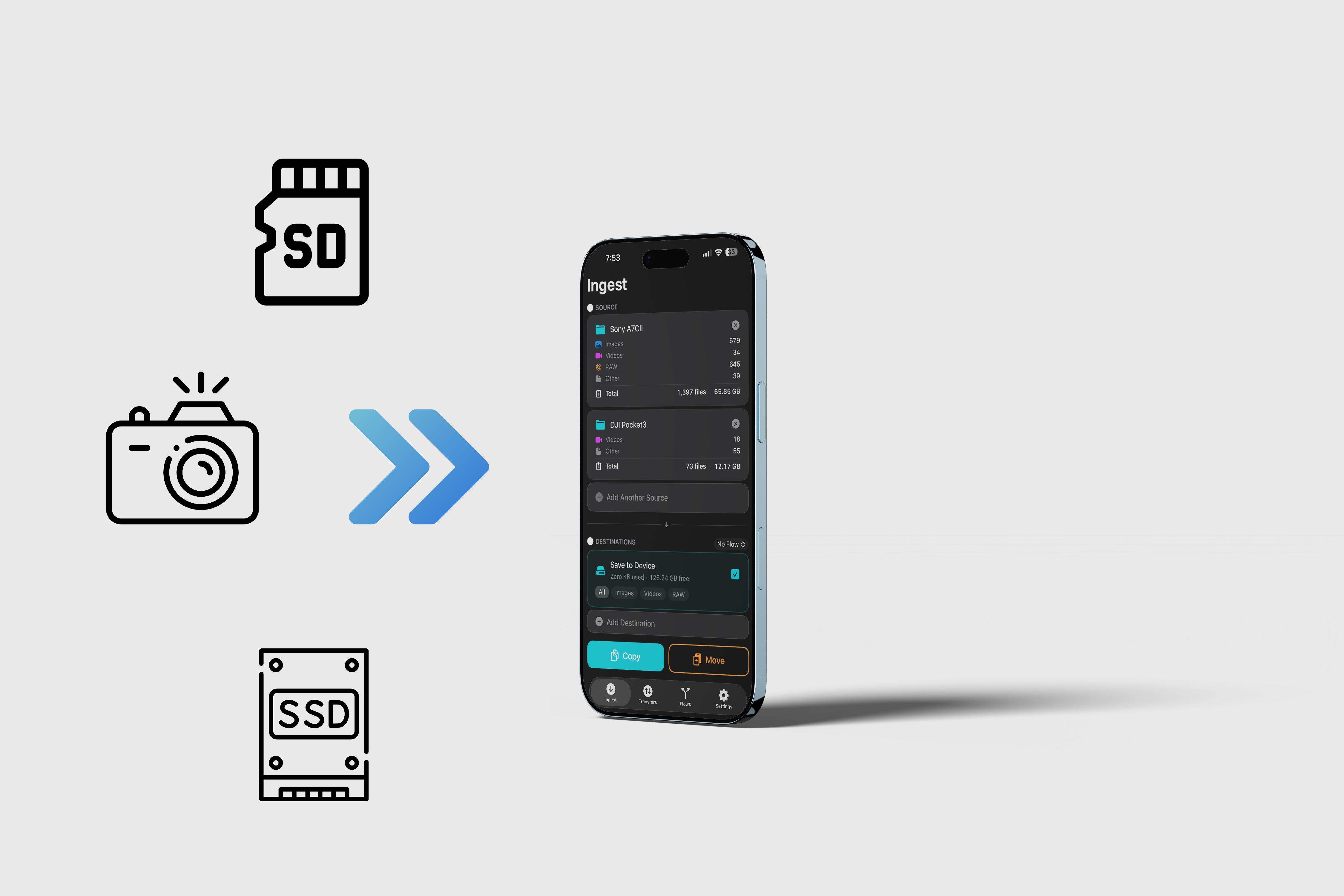
Multi-Destination Routing
Send files to multiple places at once, and route different file types to different destinations.
- Copy to multiple destinations in a single operation
- Route RAW files to SSD, JPEGs to NAS
- Filter by file type: All, Images, Videos, RAW
- Date filtering to copy only recent files
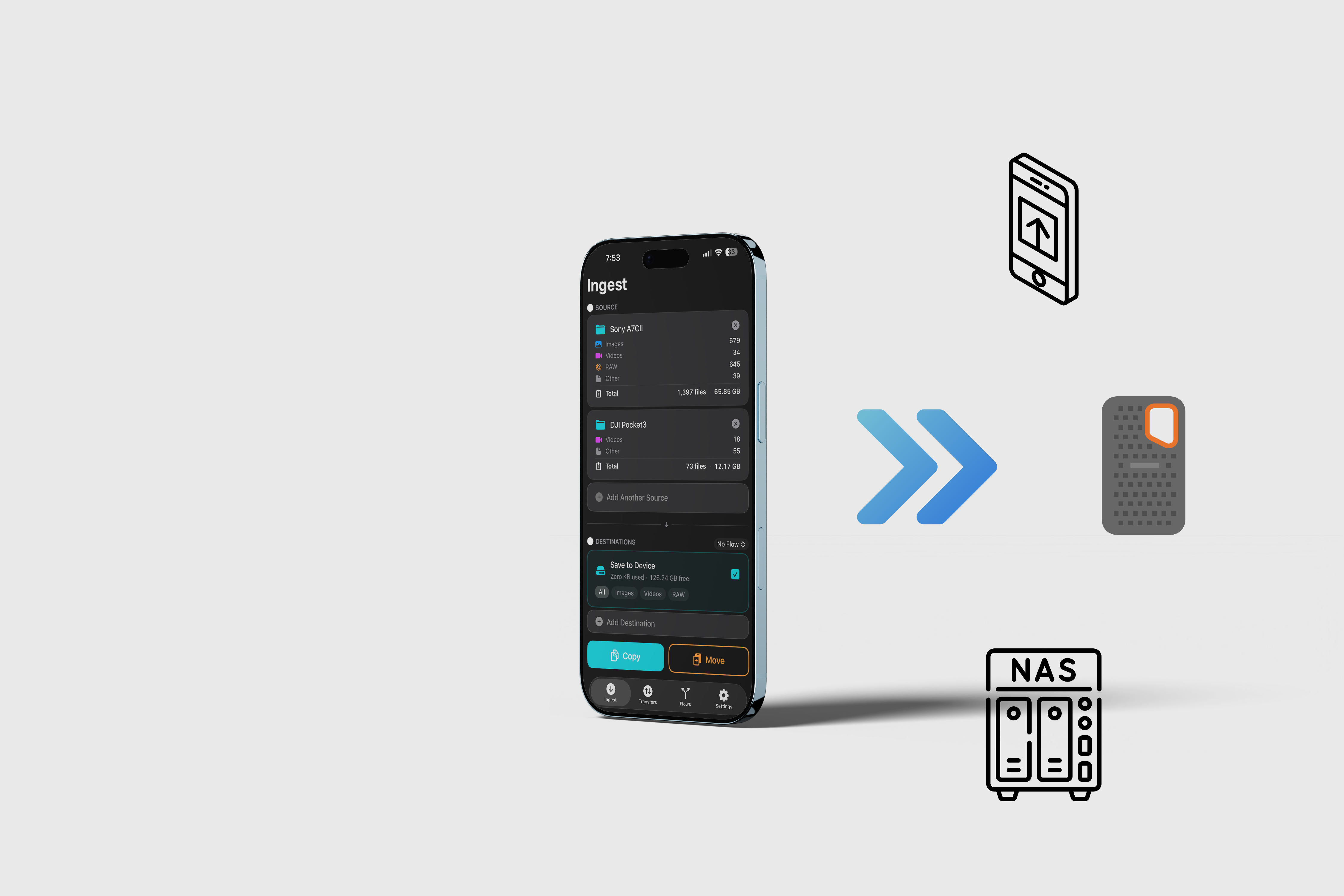
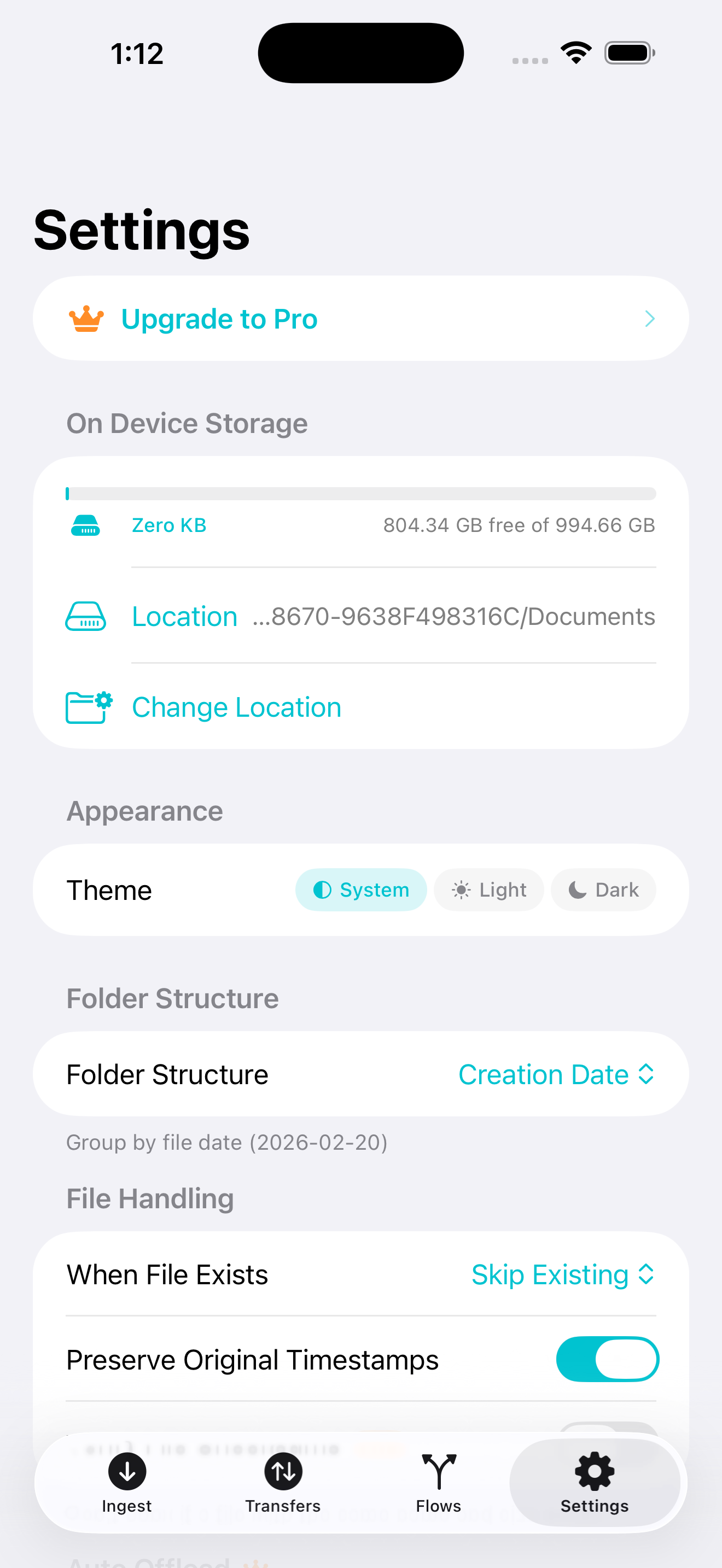
On Device Storage
Field backup without an external drive. Save files directly to your device and offload later.
- Save to device for instant backup in the field
- View used space, available space, and file counts at a glance
- Move files to an external drive when you're back at base
Copy & Move
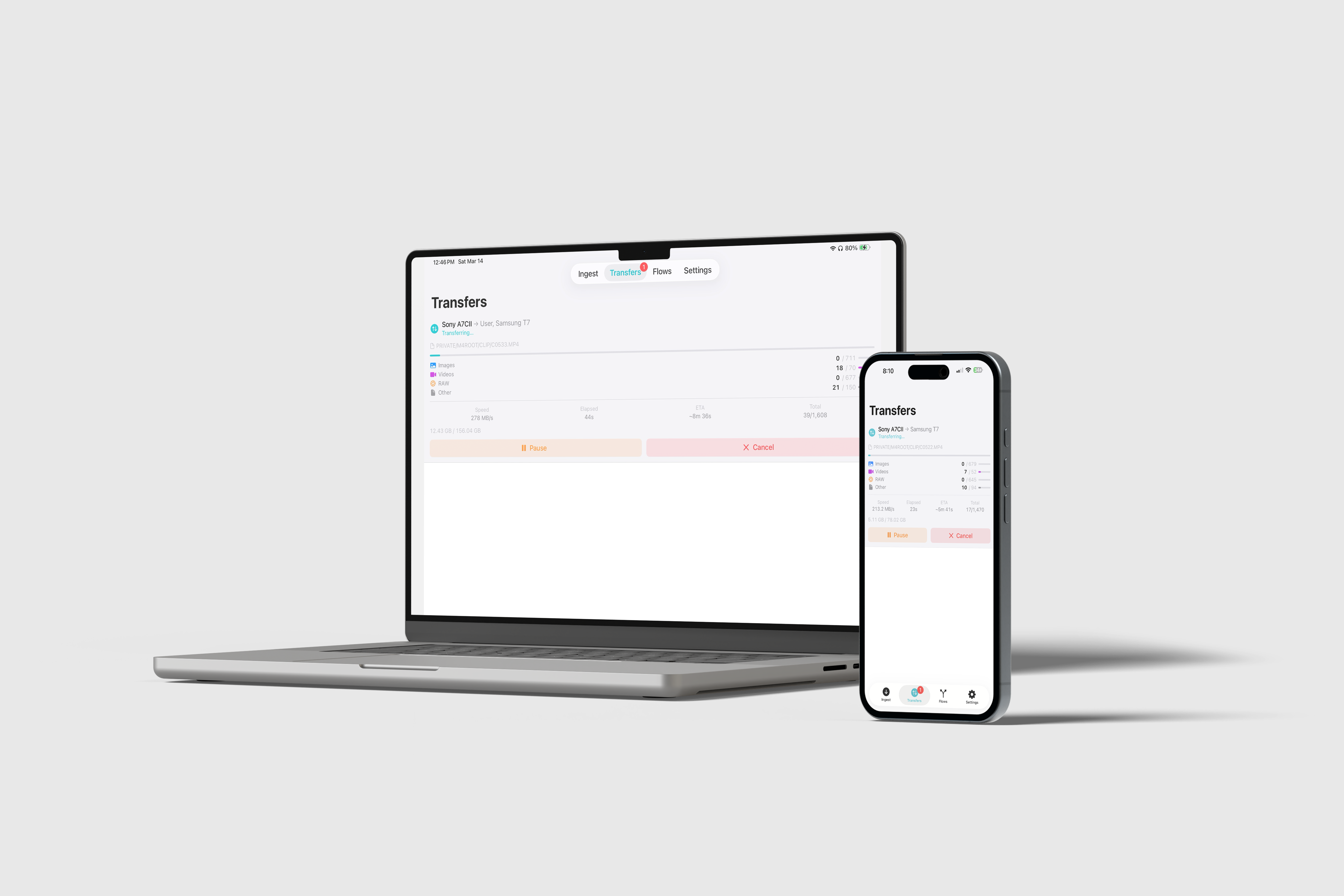
Full control over your transfers with real-time progress and the ability to pause or cancel.
- Copy keeps originals; Move deletes after transfer
- Per-destination progress with transfer speed and ETA
- Pause, Resume, and Cancel at any time
- Completion summary: files, bytes, duration, average speed
Smart File Organization
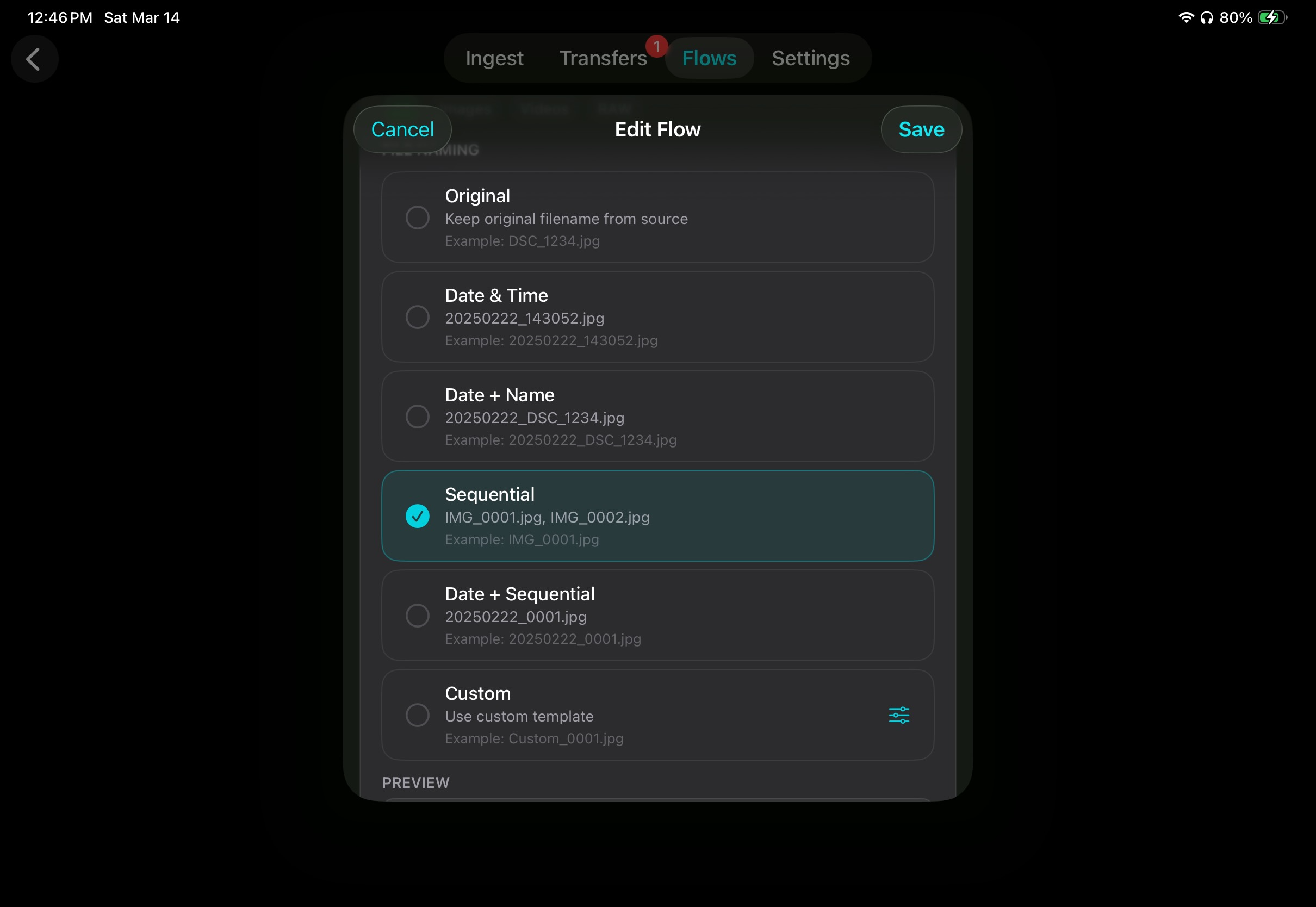
Files go exactly where they should — date-based folders, custom naming, original timestamps preserved.
- Auto-organize by creation date (YYYY-MM-DD folders)
- Custom naming templates with prefix, sequence, dates
- Preserve original folder structure option
- Original file timestamps preserved on every copy
Transfer History
Every session logged. Browse your history, see what was transferred, and rerun any session.
- Full session history with file details
- Grouped by date for easy browsing
- Rerun any previous session with one tap
Go further with ShutterFlow Pro
The core of ShutterFlow is free and always will be. Pro adds power features for photographers who want to go deeper — and helps support a solo developer building tools he actually uses.
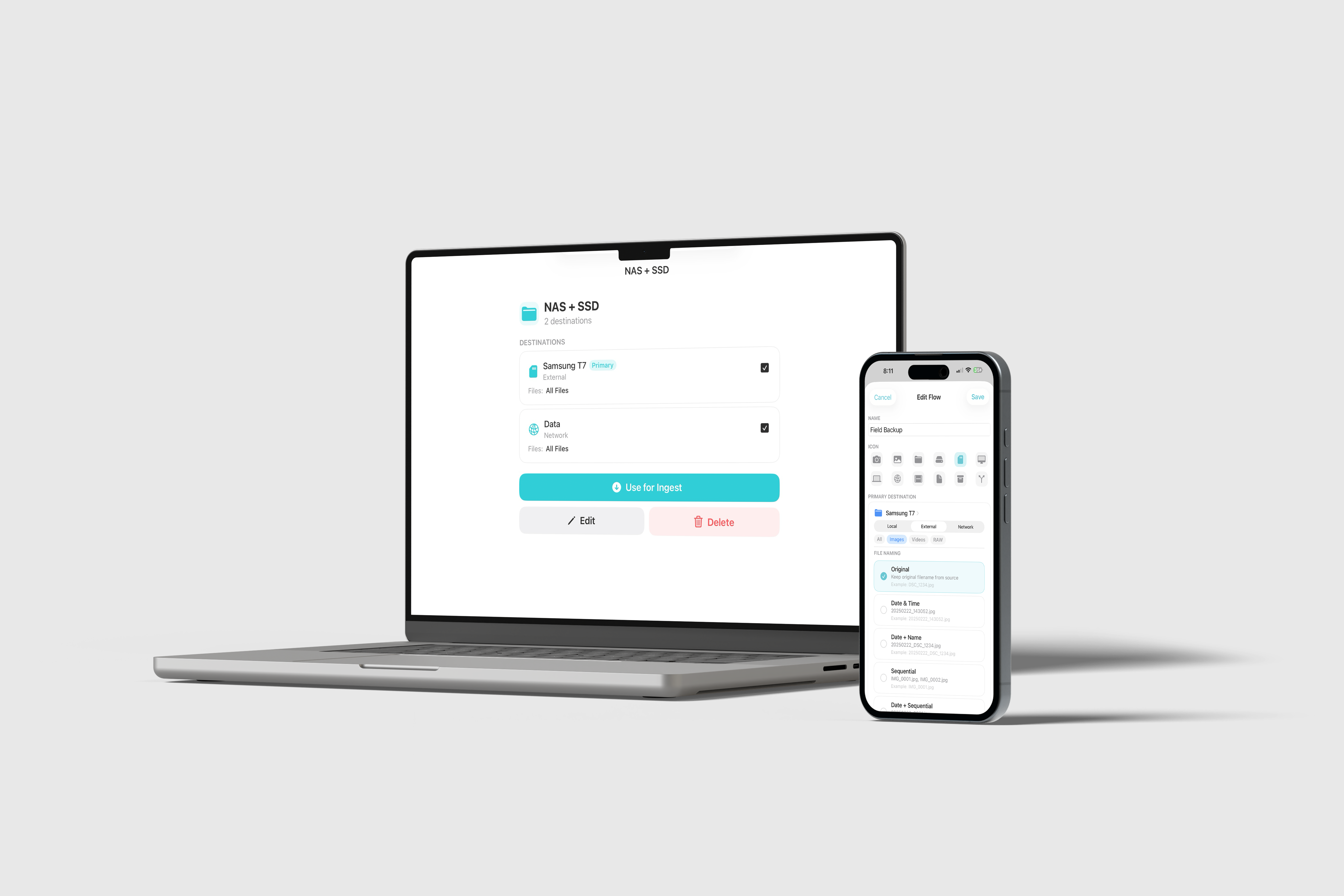
Flows Pro
Save your source and destination presets as a Flow. One tap to start your exact ingestion setup every time. Perfect for photographers with a consistent workflow.
Checksum Verification Pro
After every copy, ShutterFlow computes an MD5 hash of both the source and destination file and compares them. Matching hashes means the transfer was bit-perfect — every file, every time.
- MD5 hash computed and compared after each file
- Mismatched files are flagged immediately
- Peace of mind for archival and client work
Auto Offload Pro
Back up to your phone in the field, then offload automatically when your NAS or external drive comes back online. No manual steps.
- Shoot on location, back up to iPhone or iPad instantly
- Get home, connect to your network — offload happens on its own
- Offline Sync Queue holds jobs until the destination is available
- Works with NAS drives, USB drives, and any connected volume
Support independent development
ShutterFlow is built and maintained by one person. The free tier is fully featured and will stay that way. If Pro saves you time on a shoot, a $9.99/year subscription goes a long way.
Coming SoonOne app. Every Apple device.
Runs natively on iPhone, iPad, and Mac. Single purchase, works everywhere.
iPhone & iPad
iOS 17.0 or later. Background task handling. Screen stays awake during transfers.
Mac
macOS 14.0 or later. Removable volume auto-detection. Drag & drop. System folder picker.
Single Purchase
Buy once on the App Store and use across all your Apple devices. Pro subscription shared everywhere.
Free to use. Pro when you're ready.
Start for free with full ingestion. Upgrade for power features when you need them.
Free
Always free
- Full multi-source ingestion
- Multi-destination routing
- On Device storage
- Copy & Move transfers
- Smart file organization
- Transfer history
- Universal app — iPhone, iPad, Mac
Pro
per year · cancel anytime
- Everything in Free, plus:
- Flows — saved workflow presets
- Checksum Verification (MD5)
- Auto Offload to external drive or NAS
- Offline Sync Queue